Reference v2
All edge services emit structured diagnosis messages into a central panel (Settings → Diagnosis). Each message carries a four-digit code; the first digit identifies the reporting service.
| Range | Service | Codes |
|---|---|---|
| 1xxx | MainUI | 1001–1099 |
| 2xxx | UpdateService | 2001–2099 |
| 3xxx | IOLinkMasterProxy | 3001–3099 |
| 4xxx | USBService | 4001–4099 |
| 7xxx | DataStore (external) | 7000–7999 |
MainUI (1xxx)
| Code | Meaning | Typical action |
|---|---|---|
| 1001 | Update server unreachable | Check the edge’s internet / VPN. |
| 1002 | IDEA4S interface unreachable | Check the IDEA4S-Bridge service (diagnosis detail); restart the edge if needed. |
| 1003 | Netplan apply failed | Re-check the IP config you entered, reboot. |
| 1004 | Config file corrupt | Call a service technician — edge falls back to defaults. |
| 1005 | Docker socket unreachable | Reboot; if it persists, service technician. |
| 1006 | Service URL unreachable | Which URL is shown in the diagnosis detail. |
| 1007 | Container unhealthy | Check that service’s diagnosis tab. |
| 1008 | Docker command failed | Service technician. |
| 1009 | Update signature invalid | Do not install — contact Brinkhaus support. |
UpdateService (2xxx)
| Code | Meaning | Typical action |
|---|---|---|
| 2001 | Update directory missing | Service technician. |
| 2002 | Pre-update backup failed | Check disk space, retry. |
| 2003 | docker compose up failed | Check diagnosis detail, possibly perform rollback. |
| 2004 | Post-update health check failed | Update is rolled back automatically — check logs. |
| 2005 | Rollback initiated | Informational — no action needed. |
| 2006 | Rollback succeeded | Informational — edge is back up. |
| 2007 | Rollback failed | Service technician immediately. |
| 2008 | Update signature verification failed | Do not install — contact support. |
| 2009 | Signature check skipped (legacy 1.x update) | Informational — only occurs while migrating 1.x edges; from 2.x on, signature verification is always enforced. |
| 2010 | Update images missing on the device | The message names them: they could not be pulled and are not on the device either, so the update was not started; an edge already running a version returns to it (see 2005–2007). Check the edge’s access to the registry and trigger the update again. |
IOLinkMasterProxy (3xxx)
| Code | Meaning | Typical action |
|---|---|---|
| 3001 | IO-Link master unreachable | Check the LAN cable to the IFM master, reboot the IFM device. |
| 3002 | High error rate while proxying | IFM master or network has issues — check logs. |
| 3003 | HTTP error from IO-Link master | Check the IFM configuration. |
USBService (4xxx)
| Code | Meaning | Typical action |
|---|---|---|
| 4001 | USB mount failed | Re-insert the stick; try a different stick. |
| 4002 | File transfer failed | Re-insert the stick. |
| 4003 | MainUI unreachable | The edge itself has a problem — see codes 1xxx. |
| 4004 | USB detected but no device | Re-insert the stick. |
| 4005 | CSV files pending transfer | Insert a USB stick. |
| 4006 | Container restarting | Informational. |
| 4007 | No USB with files to copy | Informational. |
| 4008 | Last copy succeeded | Informational. |
Where can I see the codes?
In Settings → Diagnosis expand the panel per service to see individual messages with their codes and descriptions:
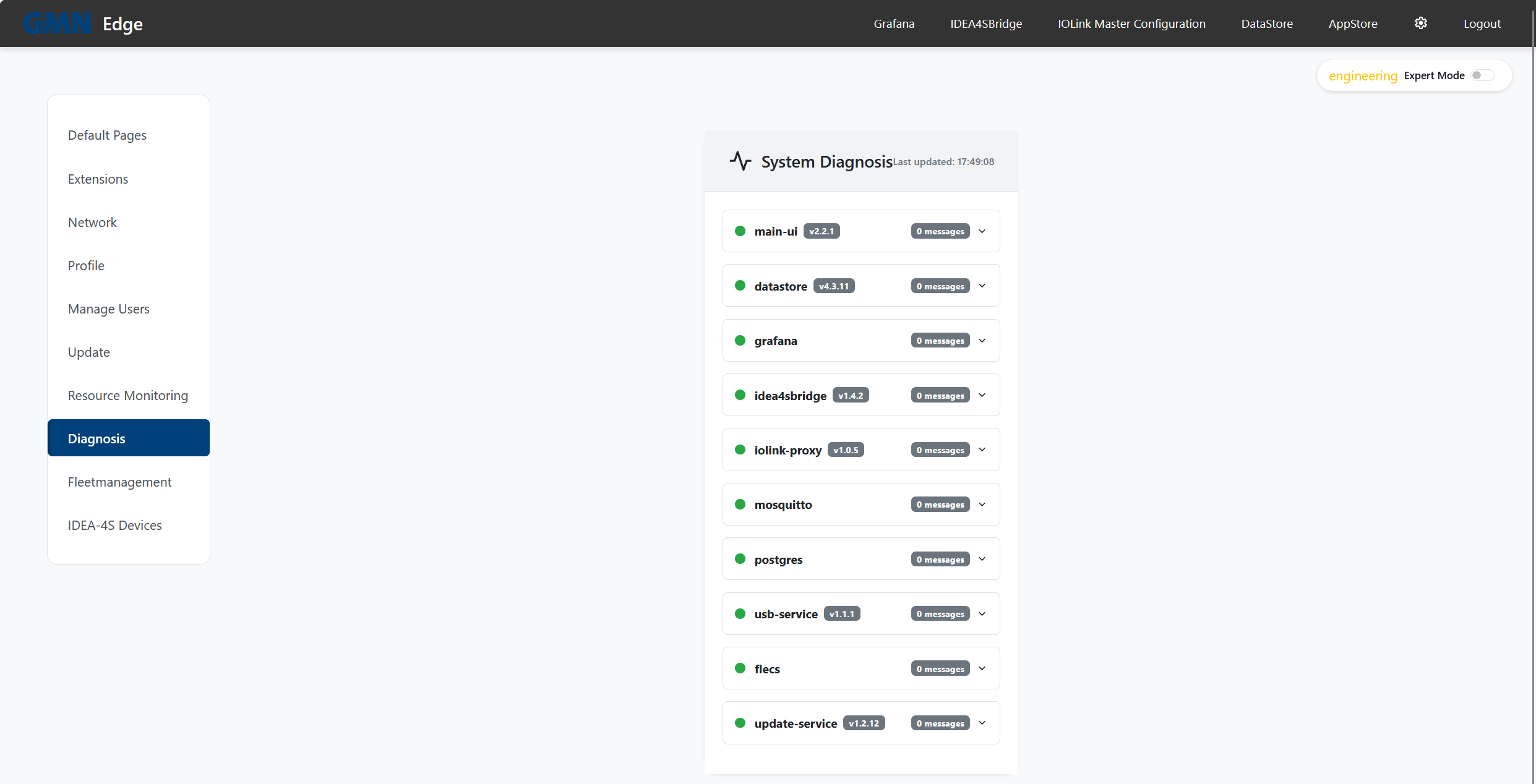
Via the fleet integration the same codes are also visible centrally in the Brinkhaus FleetManager — a dedicated explanation page is coming.