How-to v2
You want to change your own password — typically right after first-boot.
Steps
-
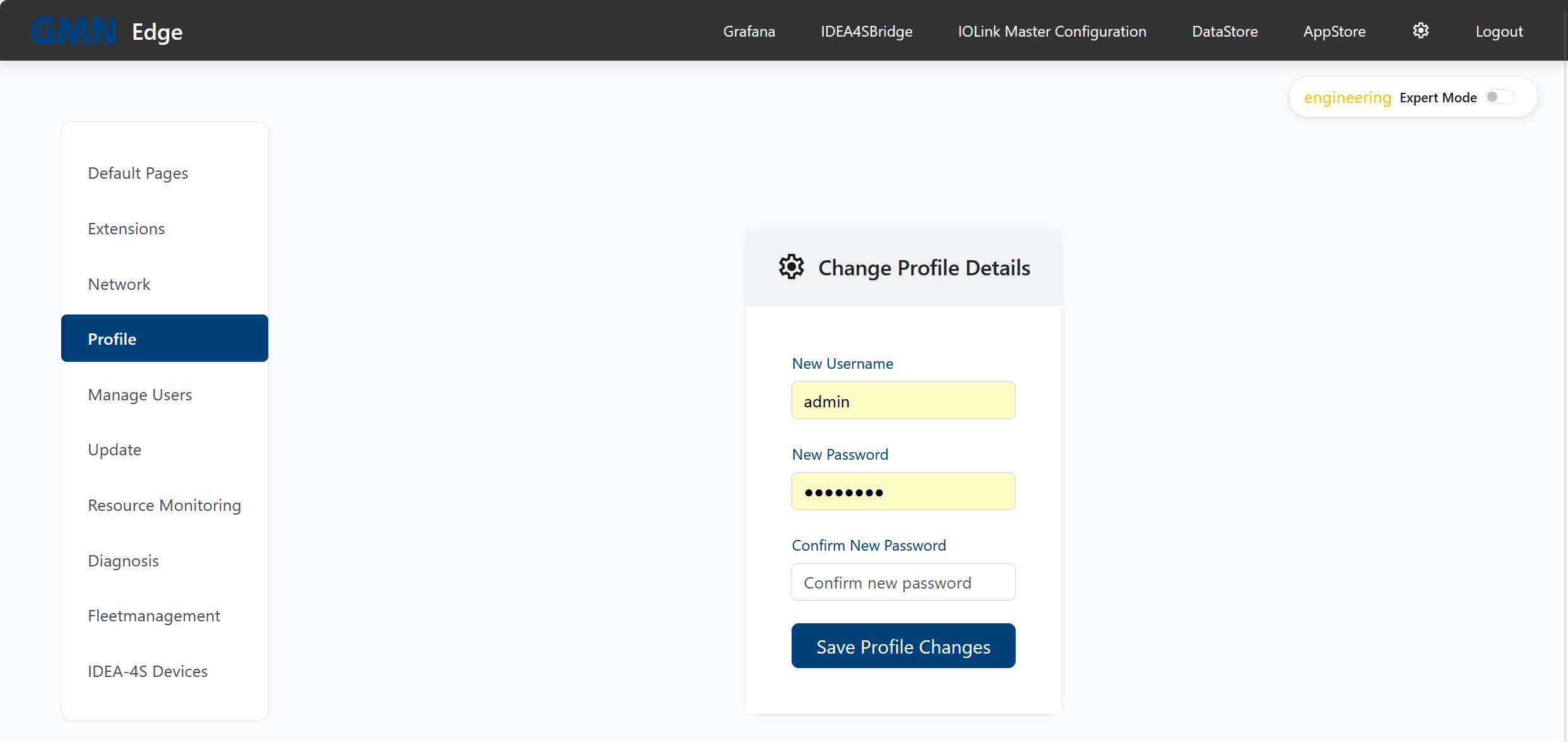
Click the cog icon top-right → you are in the settings.
-
Pick Profile in the left sidebar.
-
In the Change Profile Details form enter a new password and confirm it in the second field.
-
Optional: also change the username.
-
Click Save Profile Changes.
On the next login use the (possibly new) username and the new password.
Notes
- Once you set a custom password, it is no longer derived from the machine ID — you alone are responsible for it from then on.
- If you lose your password, a user with
network-configuration(or other admin) permission can set a new one in Settings → Manage Users. - If access is fully lost, Brinkhaus personnel can always re-derive the initial password from the machine ID.